


Have you thought about how to make admission control at your event as efficient as possible? Based on our experience, we'll show you the main advantages and disadvantages of each option.

What It’s About
|
Over the past few weeks, the Zuger Messe, the Expovina wine ships and the Basel Wine Festival drew more than 100,000 visitors. With large numbers of visitors, efficient guest management is key to keeping waiting times outside the event location as short as possible. A long wait can spoil the event for your guests before it has even started.
Efficient admission control is an important piece of this puzzle. In this post, we show you the main advantages and disadvantages of each option.
Ticket list
You can download the ticket list as a CSV file from the TICKETINO Cockpit and print it out if needed. At the entrance, you can simply mark the ticket buyers who have entered your event, either by hand on the printout or in the document on a laptop.
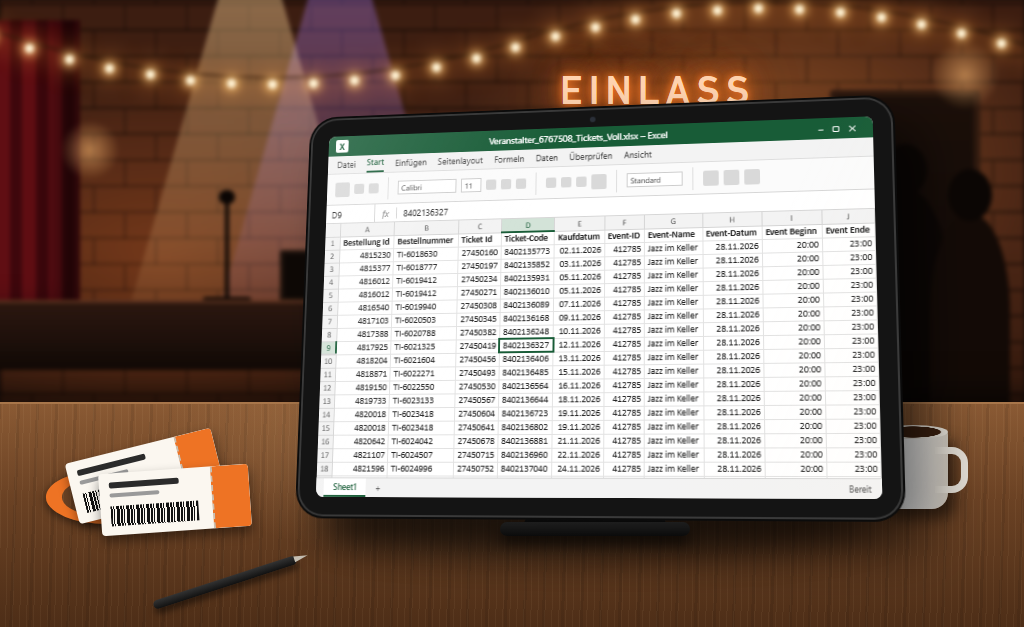
Advantages:
- No installation or staff training needed
- Works without electricity or an internet connection
- Easy to use for staff with little technical know-how
- Simple admission control for events with few tickets, or for well-attended events with a seating plan
Disadvantages:
- Slow admission control when the ticket list is long
- No syncing between different entrances
- Guests' names must be in the system
- ID checks needed
The ticket list is ideal for events with few tickets. For larger events, it serves as a back-up in case of a technical malfunction shortly before or during admission. You need to ask for guests' names, because checking ticket codes by hand is tedious and time-consuming. It also helps to sort the list alphabetically by name.
ScanApp on your own smartphone
The free TICKETINO ScanApp can be installed on any modern smartphone or tablet running iOS or Android. At the entrance of your event location, you can check the validity of tickets with one or more smartphones.
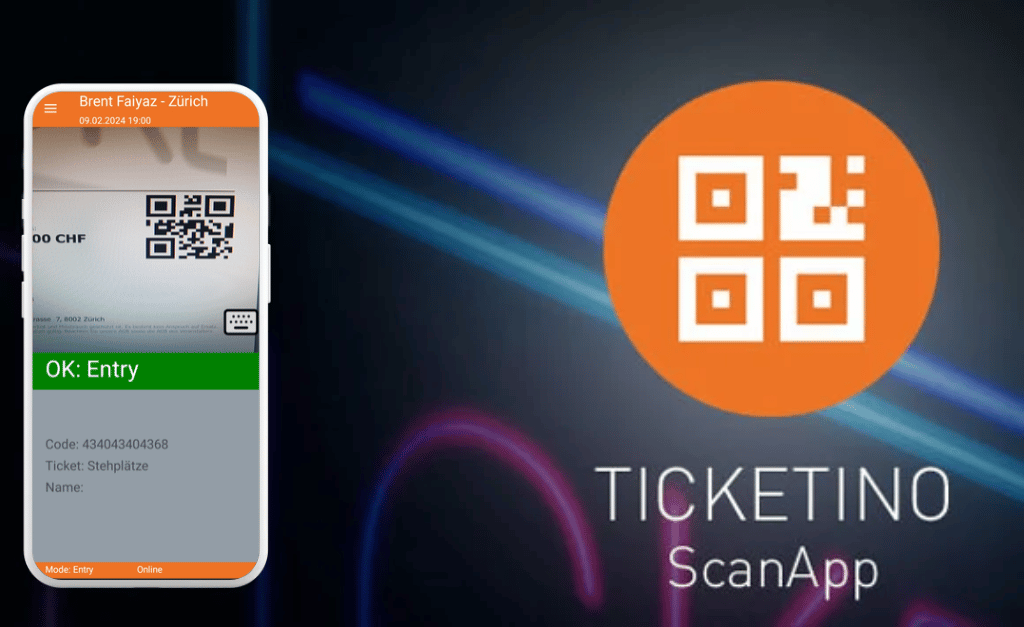
Advantages:
- No professional admission control devices needed
- Several devices can check tickets at the same time (with a mobile data plan)
- Uses the device's own internet connection (with a mobile data plan)
- Mobile use
- Ticket data recorded in real time
Disadvantages:
- Depends on a mobile device
- Requires access to the camera
- High battery drain from internet and camera use
The ScanApp on your own smartphone is ideal for small and medium-sized events. You can use the app on several devices at the same time. Because it drains the battery heavily, plan for a power supply such as a power bank.

Hand-held scanners
The mobile hand-held scanners also run the ScanApp. You can reserve the devices through the TICKETINO support team. Alternatively, you can buy your own hand-held scanners and have the TICKETINO team configure them. Important: the ScanApp on the hand-held scanners is not the same as the version in the Play Store. Instead of the camera, it uses the device's built-in scanner. Hand-held scanners make admission control fast and easy.
Advantages:
- Very user-friendly
- Long battery life
- Robust devices
- Fast admission control
- Ticket data recorded in real time
- Several hand-held scanners can be used at the same time
Disadvantages:
- Depends on stable WIFI
- The scanners must be reserved, sent and returned
We recommend hand-held scanners for events with more than 1,000 tickets sold. They are somewhat faster than the app on a smartphone, because the QR code doesn't have to be captured with a camera, and they have a long battery life. A WIFI connection at the event location is essential.
TICKETINO Box Office
The TICKETINO Box Office was developed for ticket sales on site and accepts cash, credit cards, TWINT and more. We recommend ordering the Box Office from the TICKETINO support team, who will supply the system together with a ticket printer and a credit card terminal. You can also install it on your own PC or notebook with a Windows operating system. The Box Office also handles ticket control and name badge printing on site, provided a suitable printer is connected.
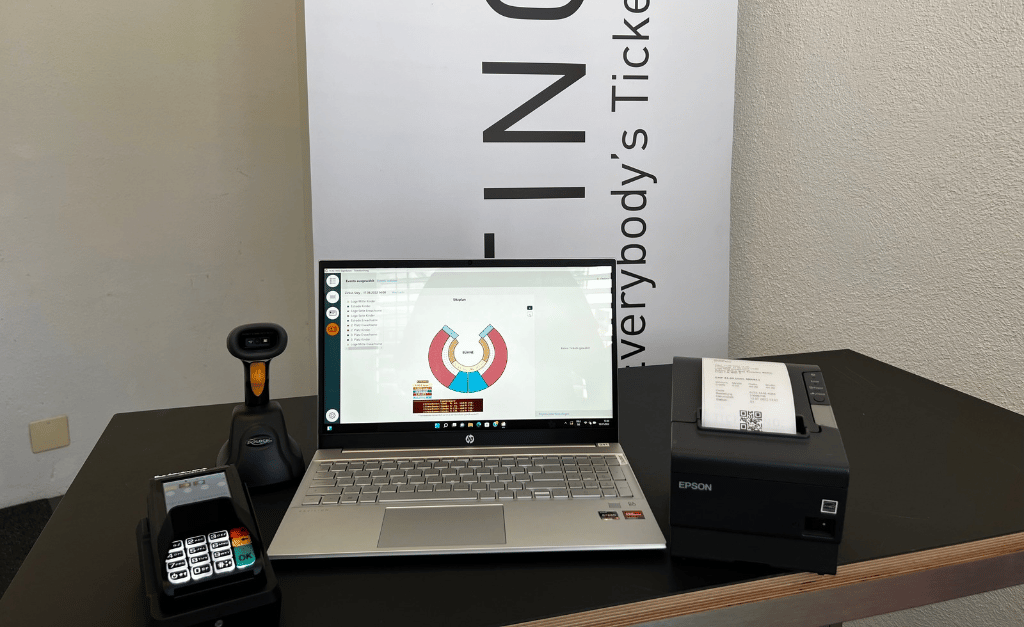
Advantages:
- Combines ticket sales, name badge printing and ticket control
- Runs on your own Windows PC or on rented hardware
- Barcode scanners and printers can be connected
- Forgotten or lost tickets can be checked in manually by searching the system
- Ticket data syncs continuously
Disadvantages:
- Depends on electricity
- No protection against rain or moisture
- Fixed location
- Not compatible with Apple devices
- Depends on stable WIFI
The TICKETINO Box Office is your best solution if you want to sell more tickets on site as well as check them. You can also connect it to badge printers. Compared with the ScanApp on a smartphone or hand-held scanner, the Box Office is less handy and is mainly used in a fixed location. A WIFI connection at the event location is essential.
Browser-Client
You can use the TICKETINO Browser-Client in your own browser on any device, usually a notebook, but also a tablet or similar. Simply log in to the TICKETINO Cockpit, go to "Events / Access control" and select your event. You can then validate tickets right in your browser.
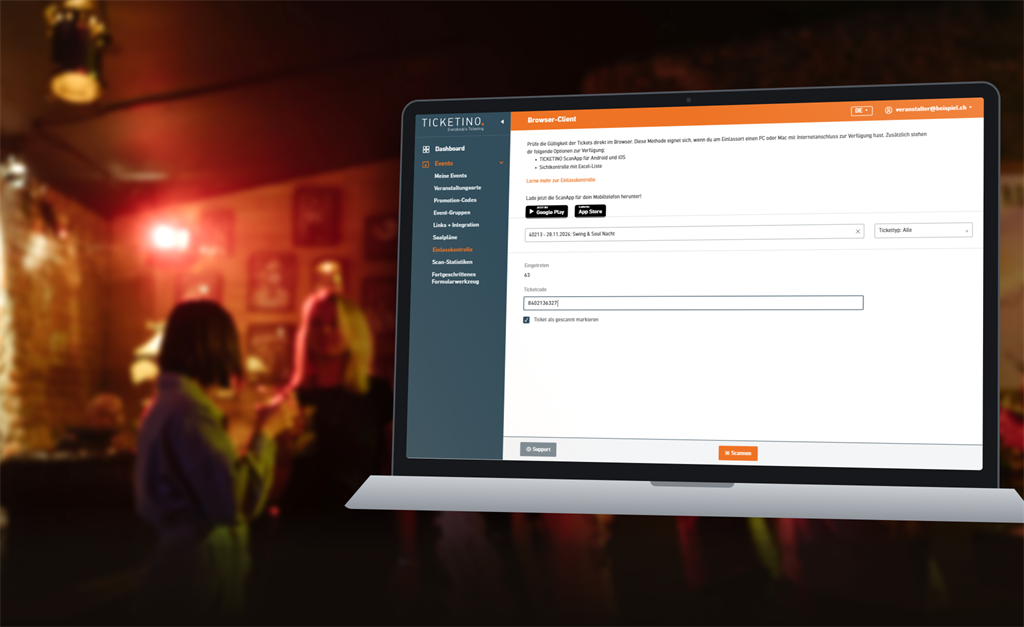
Advantages:
- Runs in the browser on any of your own devices, including Mac
- No installation needed
- Barcode scanners can be connected if your device supports it (USB port)
- Forgotten or lost tickets can be checked in manually by searching the system
- Ticket data syncs continuously
Disadvantages:
- Depends on stable WIFI
- No protection against rain or moisture (with a standard notebook)
- Fixed location (with a standard notebook)
The TICKETINO Browser-Client is the convenient alternative to the TICKETINO Box Office, but without ticket sales. You can connect a barcode scanner if your device supports it. On request, the ticketino support team can provide you with a barcode scanner. Unlike the ScanApp on a smartphone or hand-held scanner, the Browser-Client may not be usable on the move, depending on the device. It is ideal if you have a stable WIFI connection at the entrance and a fixed spot with room for a notebook.
Conclusion
Think about how you want to organize admission control before your event. Our advice is always the same: choose one main solution for your admission control, and always keep a second option ready as a back-up. That way, you're prepared for things like a power failure or a poor internet connection.

If you'd like to rent hardware for your event or have any further questions about admission control, please contact the TICKETINO support team early at info@ticketino.com.


